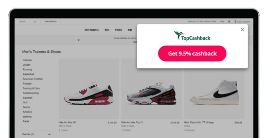
Browser Extension
Apply Cashback savings as you shop with just one click.
Featured Brands
10% Cashback
Watches & jewellery perfect for Christmas.
Up to 7% Cashback
Discover timeless British style for everyone.
8% Cashback
Ray-Ban Meta glasses: Hands-free photos, audio, & AI.
Up to 8% Cashback
Shop for all of your essentials.
12% Cashback
Save up to 40% on Mattresses.*
Up to 23% Cashback
Get cashback on experience gifts.
Up to £200 Cashback
Get a free health check with Aviva Health Insurance. T&Cs apply.
Up to £140 Cashback
Fast, reliable BT Broadband for busy households.
Up to £50 Cashback
Lock in your energy prices.
Up to 20% Cashback
New hotels up to 20% off. Book now with Trip.com.
Up to 17% Cashback
Introducing The Spooky Edition, bring some boo to the loo.
Up to 15% Cashback
Greetings cards for every single occasion.
Here are some frequently asked questions you may have about our Browser Extension
If you still have a further question about our browser extension, submit a support ticket here.
JavaScript Disabled - Cashback could be affected.
JavaScript has been disabled on your browser. This could prevent your cashback tracking and website functionality. Please enable it to continue.
 ENTER
ENTER
ENTER
ENTER
ENTER
ENTER