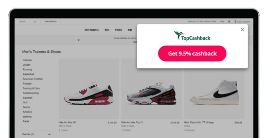
Browser Extension
Apply Cashback savings as you shop with just one click.
Featured Brands
Up to 9% Cashback
Check out the latest arrivals.
10% Cashback
Shop our latest offers.
15% Cashback
Get 2 free Gifts on Orders of £30 or more!
Up to 28% Cashback
Spring Checklist Sorted. Tick off every essential with ease at TEMU.
Up to 10% Cashback
Get 20% off.*
Up to £400 Cashback
Start investing from £30 a month. T&Cs apply.
Up to £35 Cashback
Get double the storage at no extra cost with the Samsung Galaxy S26 Ultra
Up to £200 Cashback
Fast, reliable BT Broadband and EE TV packages for busy households.
£15 Cashback
Save 25% on Flights before June 2026.
Up to 12% Cashback
Doing good has never felt better.
Up to 6% Cashback
Get 20% off machines and accessories for new customers*
To access your gift card, please follow these steps: 1. Go onto Gift & Prepaid Card Payouts in your Reward Wallet. 2. Click on your gift card 3. Enter your security question From there, you can use the gift card either online or in-store, depending on the retailer's terms. Once you have accessed the gift card, we won't be able to cancel it unless the retailer allows this. Some retailers allow cancellations of gift cards - while others do not - so please make sure you are certain about the gift card you'd like before confirming it. If you want the gift card to be cancelled, please let us know as soon as possible. Any gift card can be cancelled before it is sent over and processed by the payments team. You can check the balance of each gift card by searching for the retailer's balance checker online. For example, click here to see Tesco's balance checker.
JavaScript Disabled - Cashback could be affected.
JavaScript has been disabled on your browser. This could prevent your cashback tracking and website functionality. Please enable it to continue.