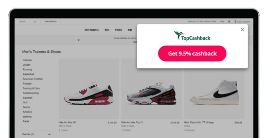
Browser Extension
Apply Cashback savings as you shop with just one click.
Featured Brands
Up to 15% Cashback
Get £100 off Galaxy S26 Ultra when you trade in and use code*
Up to 11% Cashback
Elevate every moment with Goldsmiths luxury pieces.
Up to 7% Cashback
Save 35% when you spend £50*.
Up to 5% Cashback
Bring home the comfort of a Premier Inn stay - get a free bedding bundle with every mattress or bed order..
Up to 10% Cashback
Your shortcut to stand-out gifting.
Up to £150 Cashback
Protect Your Pet From High Vet Fees Now With ManyPets.
Up to £26.25 Cashback
Built to be fair, transparent and smart.
Up to £84 Cashback
Discover 4G and 5G unlimited home broadband.
3% Cashback
Enjoy exclusive benefits when you fly Emirates.
10% Cashback
Discover a range of vintage clothing.
Up to 12.6% Cashback
Buy 6 or more bottles save 25%.
If you’d like to delete your TopCashback account please follow these steps: 1. Log in to your TopCashback account. 2. Go to your My Profile page. 3. Scroll down to the bottom of the page. 4. Click the Delete Account & Personal Data button. 5. A pop up with a message will appear explaining what happens next. Select Delete to confirm. Once you confirm, your deletion request will be processed within 30 days. During this time, you won’t be able to log in, and any cashback not paid out before your request will no longer be available. If you change your mind, you can contact us within the 30-day period to cancel your request.
JavaScript Disabled - Cashback could be affected.
JavaScript has been disabled on your browser. This could prevent your cashback tracking and website functionality. Please enable it to continue.
 ENTER
ENTER
ENTER
ENTER
ENTER
ENTER