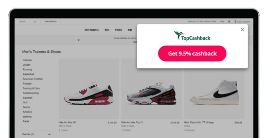
Browser Extension
Apply Cashback savings as you shop with just one click.
Featured Brands
Up to 10% Cashback
Sale: members save up to 30%.
8% Cashback
Enter: the new arrivals you'll instantly fall for.
Free LG soundbar when you purchase a selected LG TV.
7% Cashback
Spend £55+ and enjoy a limited-edition 6-piece gift.
Up to 12% Cashback
Autumn Sale! Up To 40% Off Blinds, Curtains & Shutters!
Up to 22% Cashback
Time for some R+R? Get cashback on spa days & more
Up to £120 Cashback
Get a quote with AXA Business Insurance today.
Up to £80 Cashback
Get ready for your most powerful upgrade yet at Tesco Mobile!
Up to £50 Cashback
Discover FreePhase, a smart time‑of‑use tariff.
Up to 20% Cashback
Shop Popular European train routes.
Up to 17% Cashback
Introducing The Spooky Edition, TP that’s such a scream
Magical LEGO® Harry Potter™ Sets Await.
If you are using Adblock Plus, adjust these settings to improve cashback tracking:
JavaScript Disabled - Cashback could be affected.
JavaScript has been disabled on your browser. This could prevent your cashback tracking and website functionality. Please enable it to continue.
 ENTER
ENTER
ENTER
ENTER
ENTER
ENTER