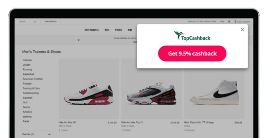
Browser Extension
Apply Cashback savings as you shop with just one click.
Featured Brands
Up to £120 Cashback
Sale – up to 40% off RAC Breakdown Cover.*
Up to 11% Cashback
Shop the new autumn/winter collection.
Up to 12.5% Cashback
Keep clothes looking their best with AEG
Shop New Christmas Gifts at No7.
£15 Cashback
75% off your first order of tailored kibble.
Up to 10% Cashback
Check out the latest LEGO releases.
Up to £145 Cashback
Insure your happiness with ManyPets Pet Insurance.
Up to £60 Cashback
Get ready for your most powerful upgrade yet.
Up to £50 Cashback
Lock in your energy prices.
Up to £40 Cashback
Discover offers on flights, hotels, and flight + hotel packages by destination.
Up to 17% Cashback
Introducing The Spooky Edition, bring some boo to the loo.
Up to £8 Cashback
The Home of Food Lovers.
Find a retailer or service you want to buy from. We offer cashback on over 5,500 retailers.
Use the pink 'Get Cashback' button. This will open the retailer's website in a new tab.
On the retailer's website, just shop as normal. The value of any purchase will be recorded in your account.
It can take up to 7 days for your cashback to show in your account as ‘pending’. We then need to wait until the retailer confirms your purchase and for them to pay us. This can take on average between 1-3 months. Once we have your cashback, it'll become ‘payable’ in your account.
When your cashback shows as 'payable' in your account, you can withdraw and choose from a wide range of payout methods such as bank transfer, PayPal, or any of our 20+ gift cards for extra bonuses. For most withdraws, we usually pay you within a couple of working days. Tip: Add your payout details earlier, even before you’re ready to withdraw, as we’d automatically disable payments for 72 hours for security reasons.
In the rare occasion where your purchase wasn’t automatically recorded in your account, you can get in touch with our customer service team.
As a TopCashback Plus Member, you get access to a range of benefits in exchange for £5 of your annual cashback earnings. This includes enhanced Tell-a-Friend and payout bonuses, 5% top-up on all non-exclusive deals, Plus Member competitions, and more.
JavaScript Disabled - Cashback could be affected.
JavaScript has been disabled on your browser. This could prevent your cashback tracking and website functionality. Please enable it to continue.
 ENTER
ENTER
ENTER
ENTER
ENTER
ENTER